


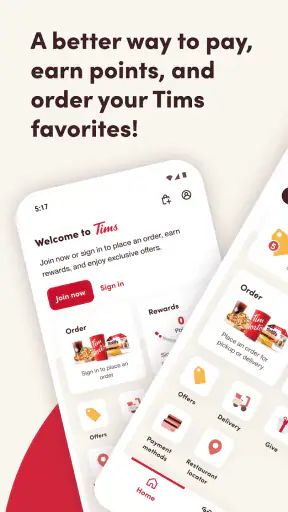
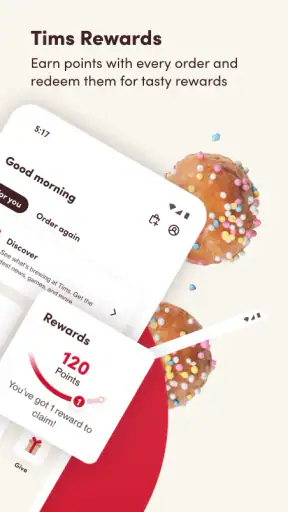
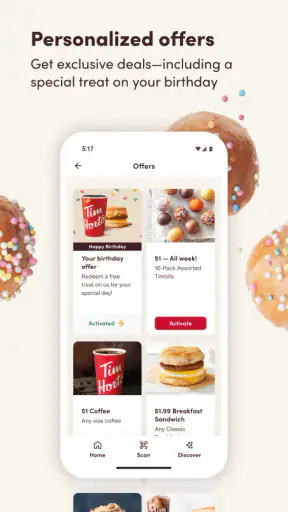
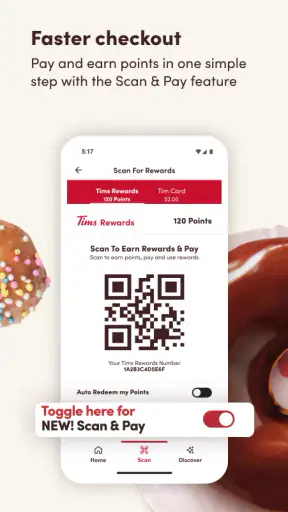
I use the Tim Hortons app as a practical shortcut for ordering coffee, breakfast, and other menu items before I reach a restaurant. It is a free Food & Drink app from The TDL Group Corp., and its main value is simple: I can build an order on my phone, adjust it to my preferences, and spend less time explaining everything at the counter. That sounds ordinary, but the difference becomes noticeable when I am rushing to work or trying to place the same kind of order several times during a busy week.
The experience is not perfect, and I would not recommend installing it solely because mobile ordering sounds convenient. The app has a 3.2 average from around 146 thousand ratings, so there is clearly a mixed experience among users. In my view, it works best when I treat it as an ordering tool rather than as a complete replacement for visiting Tim Hortons in person. Its usefulness depends on how predictable my order is, how comfortable I am checking the details before submitting, and whether the selected restaurant can handle the timing I need.
How I use Tim Hortons from the first tap to pickup
Building a normal order without overcomplicating it
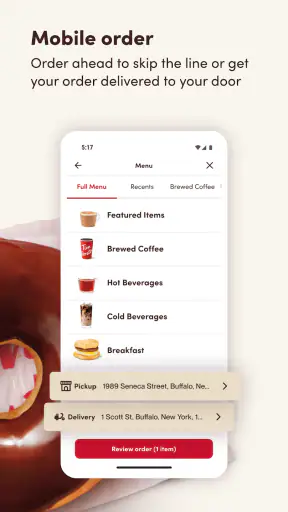
My usual workflow starts with choosing a restaurant and deciding whether I want to collect the order myself. I then browse the menu, select a drink or food item, and review the available customization choices. This is more useful than simply reading a menu because I can make the decisions quietly on my phone instead of trying to remember every change while a line forms behind me.
For a straightforward coffee and breakfast order, the process feels natural. I choose the item, check the size or preparation choices that appear, add food if needed, and look over the basket before completing the order. I recommend slowing down at this last stage. Customization screens can make it easy to focus on one change while overlooking another item, and a quick review is the best way to catch an unwanted option before the order is sent.
The app is particularly helpful for people who already know what they want. If I am still deciding between several meals, I find the physical restaurant or a conventional menu easier because I can ask a question and change my mind without feeling that I am navigating several screens. The mobile interface rewards a clear plan more than spontaneous browsing.
A realistic morning routine
Imagine a weekday morning when I am leaving home with only a short window before commuting. I can open the app, select a nearby Tim Hortons, assemble a familiar coffee and breakfast combination, and check the order while I am still indoors. The useful habit is not ordering as early as possible; it is waiting until my route and timing are reasonably certain. Ordering too soon can turn convenience into an awkward wait, especially if my plans change.
For that reason, I use the app as a timing aid rather than a promise that food will be ready at the exact moment I arrive. I check the chosen location carefully, confirm the order type, and keep the pickup step in mind. If I am already beside a restaurant with no queue, ordering at the counter may be faster. The app earns its place when I need to reduce decision-making and avoid repeating a detailed request out loud.
Why customization is the real reason to use it
The store summary describes customization and ordering, and that is also where I notice the strongest practical benefit. A regular order can contain small preferences that are easy to forget when spoken quickly. Selecting them on screen gives me a visual record of what I requested. It also lets me pause and inspect the choices rather than relying on memory.
I still read the final summary instead of assuming that every change carried over correctly. This matters when ordering several items, because the risk of an accidental omission grows with each extra selection. My advice is to treat the basket as a checklist: verify the drink, the food, the modifications, the restaurant, and the pickup plan before confirming.
What the app feels like for occasional users
Someone who visits Tim Hortons only once in a while may need a little more patience during the first order. The menu is easier to understand once I know the names and combinations I normally choose, but a new user may spend time opening individual items simply to discover which choices are available. That is not a serious problem, although it makes the app less appealing for a one-off purchase than for a repeated routine.
I also would not install it for a person who dislikes managing food orders on a phone. The app reduces conversation, but it replaces that conversation with screen checks. If I want personal assistance, need to ask about an unusual request, or am unsure which item suits me, the counter remains the better channel.
Settings and account choices worth checking
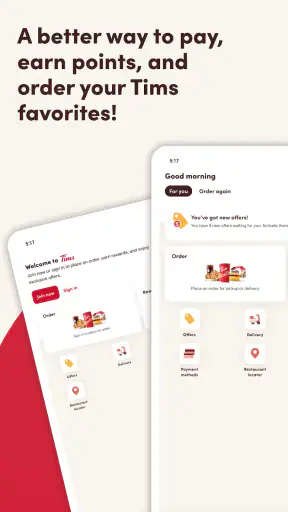
Before relying on the app regularly, I check the basic account and restaurant-related choices that affect the ordering flow. I want my selected location to be the one I actually intend to visit, especially when several Tim Hortons restaurants are close together. A small location mistake can matter more than a slow menu screen because the order may be attached to the wrong stop on my route.
I also review the order details every time rather than trusting an old habit. Restaurants can differ in what they offer or how their menu is presented, and a familiar item may not appear exactly as I expect at every location. The safest routine is to choose the restaurant first, then build the order within that restaurant’s available menu.
Notifications and device behavior are another area I approach cautiously. I keep the app usable for the moments when I am actively ordering, but I do not assume that every alert is essential. If notifications become distracting, adjusting them at the phone level can make the app less intrusive without preventing me from opening it when I need it. I prefer this measured approach to allowing every alert by default.
The current version is 7.1.567, and the app supports Android devices running version 7.0 or later. That makes it accessible on many older Android phones, although the experience can still vary with the device, connection, and operating system. I would update it through the normal app store process before judging a problem as permanent, particularly if the interface behaves differently after a phone update.
Small habits that make ordering faster
My first speed improvement is to separate planning from tapping. I decide the rough order before opening the app, then use the screens to confirm and customize it. This avoids wandering through the menu while standing outside in bad weather or trying to hurry through a commute. It also reduces the chance of adding something simply because I noticed it while scrolling.
The second habit is to use a consistent review order. I check the restaurant, order method, main items, customizations, and final total in that sequence. A repeatable check is more reliable than a vague glance, particularly when one order contains both drinks and food. This is not an exciting feature, but it is the kind of habit that makes mobile ordering feel dependable.
A third useful pattern is to keep a mental template for repeat visits without assuming that the app has saved every preference exactly as I want it. I know the items I usually select, so I can rebuild them quickly, but I still inspect each choice. This gives me much of the speed of a saved routine while avoiding the complacency that can come from tapping through too quickly.
When ordering for another person, I ask for their preferences before I open the menu. I then review the basket aloud or against my notes before submitting. The app is good at displaying choices, but it cannot resolve an unclear request such as “the usual” when several versions are possible. For group orders, clarity is more valuable than speed.
Where the shortcuts stop helping
There is a point at which adding more customizations makes the digital workflow slower than speaking to staff. If an order requires an explanation, a question about availability, or a correction that is difficult to represent through the menu, I prefer the counter. The app is strongest when the request fits the choices it presents; it is less suitable when the order depends on a conversation.
I also avoid using it as a way to eliminate every minute of waiting. Mobile ordering can shorten the ordering interaction, but I still need to travel to the restaurant and complete the pickup. If I am already inside and there is no queue, the app may add steps rather than remove them. Experienced use means choosing the channel that matches the situation, not using the app automatically.
Another limitation is the need for attention at the final confirmation stage. A phone makes ordering private and convenient, but it can also encourage rushed tapping. I have found that the fastest overall method is not the one with the fewest seconds spent on the screen; it is the one that avoids having to fix a mistaken order afterward.
Who will get the most from it?
I think Tim Hortons is a good fit for regular customers who order similar drinks or meals, care about customizing them, and want a repeatable way to prepare an order before reaching a restaurant. It is also useful for people who find spoken ordering stressful or who prefer seeing each selection written down. The free price removes the main barrier to trying it, so a regular customer can test the workflow without committing to a subscription.
The Everyone content rating makes it suitable for a broad audience, although suitability does not guarantee that every person will enjoy mobile ordering. Parents, commuters, and office workers may appreciate the reduced friction, while someone making an occasional visit may see little benefit after accounting for installation and setup.
The app is less convincing for customers who frequently ask detailed questions, change their order at the last second, or want personal recommendations. It is also not my first choice when I am already at the restaurant and the line is short. In those cases, direct service is more flexible and can be quicker.
How it compares with the usual alternatives
Compared with ordering at the counter, the app gives me more control over customization and lets me prepare the request away from the restaurant. The trade-off is that I lose the immediate back-and-forth of speaking with an employee. Counter ordering wins for unusual requests and uncertain choices; the app wins for familiar orders that benefit from a written checklist.
Compared with using a general delivery service, Tim Hortons is more focused on the restaurant’s own ordering experience rather than placing the brand inside a larger marketplace. That focus can feel cleaner when I am collecting the order myself. A delivery service may be preferable when I need food brought to me or when I am comparing several restaurants, but it adds a different layer of cost, timing, and dependence on delivery arrangements.
Compared with simply checking a menu in a browser, the app is more useful when I intend to customize and submit an order. A browser can be enough for casual menu reading, while the app makes more sense as part of a repeatable purchase routine. I would not choose it merely to look up one item and then pay at the counter.
My verdict after making it part of a routine
After using Tim Hortons in this practical way, I see it as a focused convenience rather than an essential app. It does the most important job well enough: it lets me organize a Tim Hortons order, adjust familiar items, and approach pickup with fewer decisions left to make. The experience becomes noticeably better when I use the same checking habits each time instead of rushing through the screens.
The app has reached over five million installs, which fits its role as a familiar tool for people who visit the chain regularly. Its rating of 3.2 suggests that expectations should remain realistic. I would not describe it as flawless, and I would not use it for every visit. Location selection, timing, menu availability, and the need for human clarification can all affect whether it is genuinely faster.
Still, I would recommend trying it to a regular Tim Hortons customer who values customized orders with a repeatable pickup routine. Start with one simple order, confirm every detail, and learn whether the nearby restaurant fits your schedule. If that first experience saves effort, the app can become a useful part of a morning routine. If your orders are usually spontaneous or complicated, the counter will probably remain the better choice.
In the end, my strongest recommendation is to use the app deliberately: plan before opening it, choose the restaurant carefully, inspect customizations, and submit only when the timing makes sense. Those habits reveal its real strength while keeping its limitations manageable. For me, that makes Tim Hortons a worthwhile free Food & Drink app, but one that rewards careful use more than blind convenience.


